Make sure that "Initialize and script ActiveX controls not marked as safe"
is enabled in your browser. To check this, please start the Internet Explorer. Click the "Tools" menu.
Select the "Internet Options" item under the "Tools" menu. Click the tab "Security" and
click the button "Custom level". You should see a list of available Internet options. Search for
"Initialize and script ActiveX controls not marked as safe" and tick the "enable" box.
Please click this button:
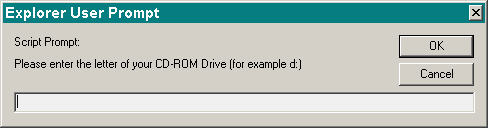
At the prompt, type in the letter designation for your CD/DVD-ROM drive (e.g. "D:") and click "OK".
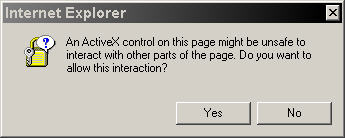
The following window will appear on your screen:
Please click the "Yes" button.
After a successful installation, an icon for "Espace Legal" will show
on your desktop :
Netscape Communicator:
For Netscape this installation will only work
if the "ActiveX Plugin for Netscape" is installed. For
details, please ask your system administrator.